
Is a power meter worth it? Often, yes — but not because the device saves energy by itself. A home power meter earns its place when you will actually use the data: to find a load that runs all day, to shift heavy use to cheaper hours, or to size a battery or generator with real numbers instead of guesses. If the app will go unopened after the first week, the honest answer is no.
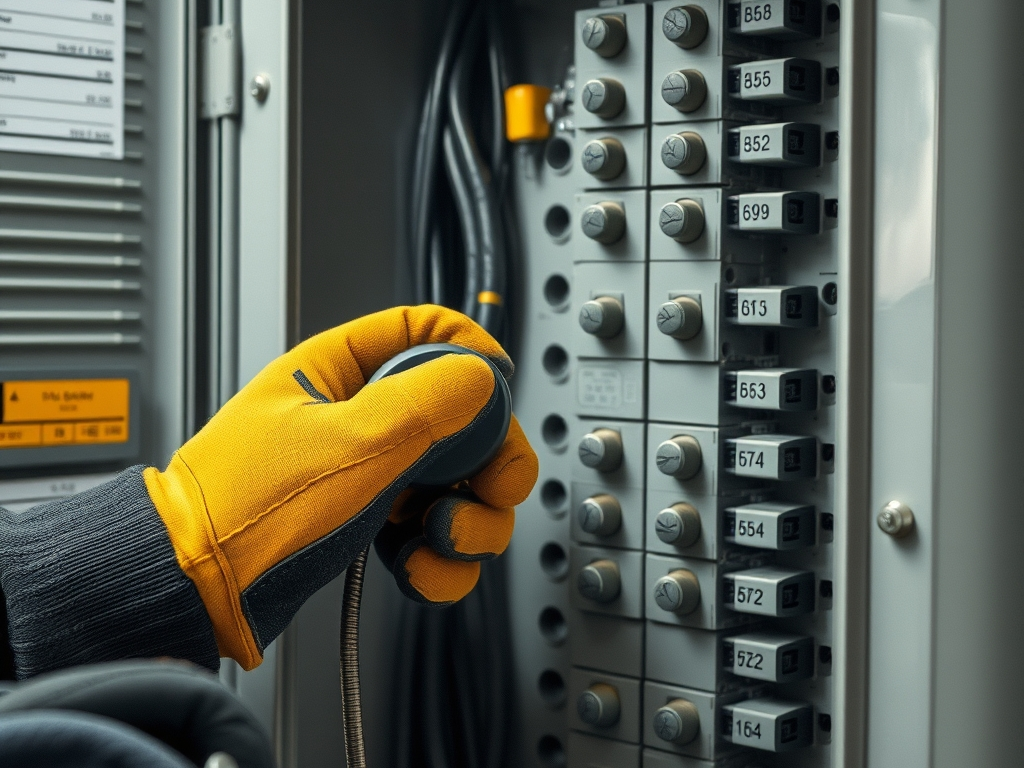
What a home power meter shows that your utility bill can’t
Your utility’s meter measures the energy your home consumes and is calibrated in billing units, most commonly the kilowatt hour [1]. That meter is read roughly once per billing period, so the number you see on a bill is a single total for weeks of use [1].
A monitor in or on your home gives you the same kind of measurement at much shorter intervals, which is where the useful information lives. You can see which hours carry the most load, what stays on overnight, and how much a specific appliance or circuit adds. Some utility meters can already record demand — the maximum power used in a given interval — and time-of-day metering lets rates change between peak and off-peak periods [1], but that data does not automatically land in a form you can act on.
The savings case, honestly stated
The savings claims around home energy monitors are real but modest at the household level. Sense reports an average annual energy savings range of 4-8% [2]. That is an average, which means plenty of homes land below it, and it depends on someone changing behavior in response to what the app shows.
Where the payoff is strongest:
- You have a big unidentified load. A pool pump, a second fridge, a space heater or a always-on entertainment setup can run for months without anyone noticing. Interval data makes it visible.
- Your rate changes by time of day. Time-of-day metering exists specifically so rates can differ between peak and off-peak periods [1]. Shifting laundry, dishwashing or EV charging into cheaper hours only saves money if you know when you are actually using power.
- You are planning backup power or solar. Sizing a battery or generator around a guess is expensive in both directions. A few weeks of real usage data tells you what your critical loads actually draw.
Where it is weak: if your rate is flat and you already know what your big appliances are, a monitor mostly confirms things you know. It is a research tool, not a fix.
What to check before you buy one
How the device attributes usage. Circuit-level sensors measure each circuit directly; a single-point monitor reads the whole-home signal and estimates what individual appliances are doing from it. Which you want depends on whether you are hunting one specific load or want a whole-house picture. Ask the maker how their system reports appliances before you commit.
Installation and panel access. Many monitors involve clamping sensors inside or around your electrical panel, which may mean an electrician. Ask the brand and, if needed, a licensed electrician what your panel requires. Renters should confirm they can get to the panel at all before ordering anything.
What your utility already gives you. Some meters already record demand and time-of-day usage [1], so ask your utility what interval data it can share. If the answer is detailed hourly usage, you may not need a second device — or you may only need one for circuit-level detail.
Solar, EV charging and other circuits you care about. If you want to track production from panels or a specific charging circuit, confirm the model you are considering supports that configuration.
The app, not the hardware. Almost all of the value sits in the software: how fast it updates, how it groups appliances, and whether the reports are readable. Check that the app runs on your phone’s platform — Sense, for example, offers an iOS and Android app [2].
Comparison table
| Brand | What they offer | Worth knowing |
|---|---|---|
| Sense | A home energy monitor plus an iOS and Android app that the company says delivers real-time, high-resolution insight into home energy use [2] | Sense reports an average annual energy savings range of 4-8% and says it was founded in 2013, starting with home energy monitors [2] |
Which option fits whom
For a whole-home picture with a phone-first app: Sense describes its approach as real-time intelligence through the Sense Monitor and its mobile app, aimed at helping people use energy better and lower electricity bills [2]. That framing suits a homeowner who wants one dashboard and is comfortable with a single-point monitor that interprets the whole house.
For researching a broader smart-home energy setup: Emporia’s site title presents smart home energy management as its focus [3]. If your interest extends past monitoring into how a home’s energy systems fit together, start on the brand’s site and read the current product and compatibility pages closely. Check availability in your region before planning around it.
For renters and anyone who can’t touch the panel: start with your utility instead. Ask what interval data your meter already records — some measure demand and time-of-day usage [1] — and whether you can access it. A portable plug-in meter for one appliance is a cheaper way to answer a single question.
For backup-power planners: monitoring before you buy a battery or generator is usually the right order. Real usage data from your own panel beats a rule of thumb, and it also tells you whether your outage problem is a handful of circuits or the whole house.
For anyone who already tracks usage closely: if you know your big loads and your rate is flat, the data will mostly confirm what you already suspect. Spend the effort on the appliances themselves.
What to make of forum threads and Reddit comparisons
Threads on Reddit and other forums are good for spotting installation snags and app frustrations that marketing pages skip. They are poor at telling you whether a monitor is worth it for your house, because the verdict depends on your rate structure, your panel, and whether anyone in the household will act on the data. Read them for the practical details — what installation involved, what the app shows, what broke — and decide the value question from your own utility bill and your own habits.
A calm way to decide
Ask three questions in order. Does my rate change by time of day, or is there a load I cannot identify? Can I get to my electrical panel, or does my utility already give me the interval data I need [1]? And will anyone in the house actually change when the heavy loads run? Two yeses make a monitor a reasonable purchase; none make it a gadget. Confirm current specs, compatibility and app features on each brand’s site before you buy.
Sources
- Electricity meter (Wikipedia) — Wikipedia
- Sense official site — sense.com
- Emporia official site — emporiaenergy.com
How we put this together: we compared these options using each brand's published product and policy pages and the references listed above. We haven't tested the products ourselves, and details such as prices and policies can change, so check the brand's site before you buy.